Use cases

AI note-taking for your kind of work.

Phrase works the same way everywhere: it keeps the source, writes a note you can check against it, then turns that note into what you need next. Here is how that looks for meetings, interviews, voice memos, documents and classes.

Under every use case

The same steps every time: capture, verify, edit. Then put the note to work.

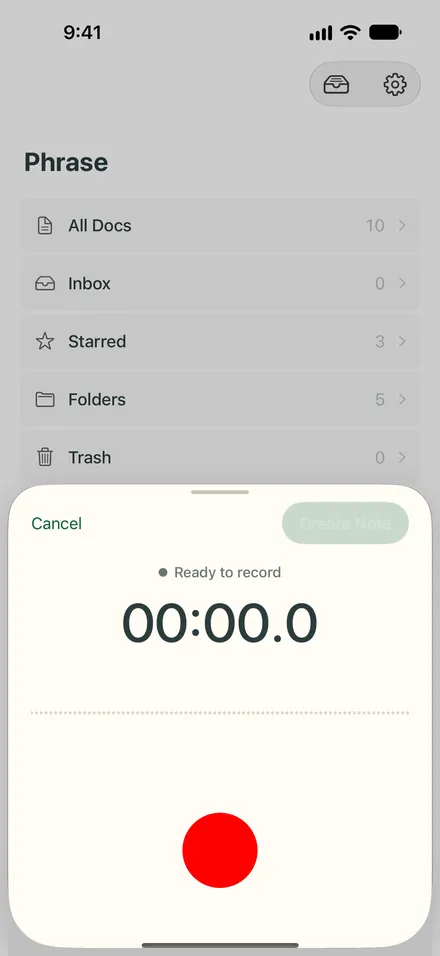
  1. The recording sheet in Phrase on iPhone, ready to record, with a large red record button.
    Capture
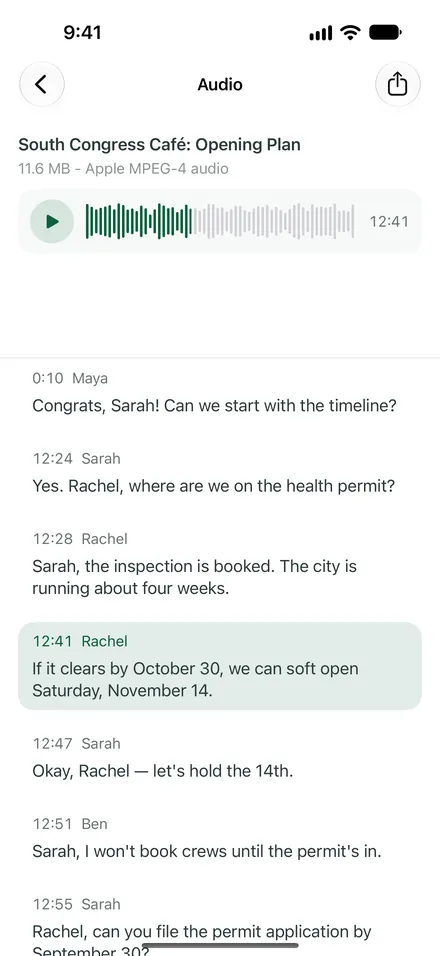
  2. The transcript of the meeting on iPhone, with Rachel’s line at 12:41 highlighted while the audio plays.
    Verify
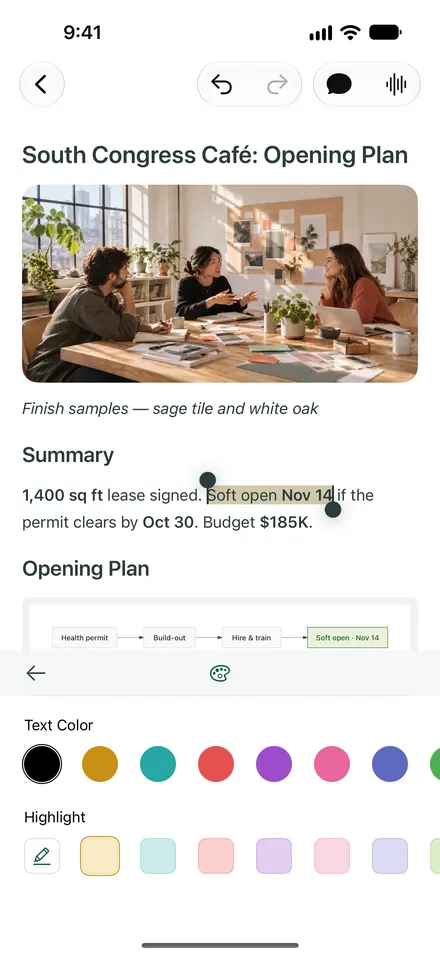
  3. Editing the café note on iPhone: a phrase in the summary is selected and highlighted, with the text color and highlight palette open.
    Edit
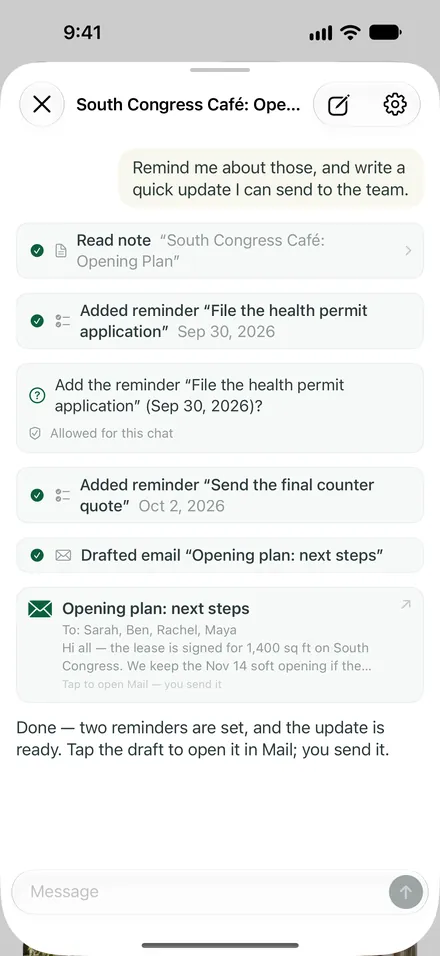
  4. The assistant on iPhone after reading the note: two reminders added after asking, and a recap email drafted for the team to send from Mail.
    Put it to work
Phrase for Apple devices

Start with whatever tomorrow throws at you.

Free to download for iPhone, iPad and Mac, with an Apple Watch app for recording. Your notes stay on your devices and sync through your own iCloud with Pro.

Start with up to 100 notes and one free media-to-note conversion. Pro adds unlimited notes, further conversions, AI features and iCloud sync, with the current usage allowance shown in the app.
QR code linking to Phrase on the App StorePoint your iPhone camera here
to get Phrase