The film
See Phrase take the notes.
A café meeting, a lecture, a note spoken on Apple Watch. Scroll to play it one scene at a time.
How it works
From the room to a finished note.


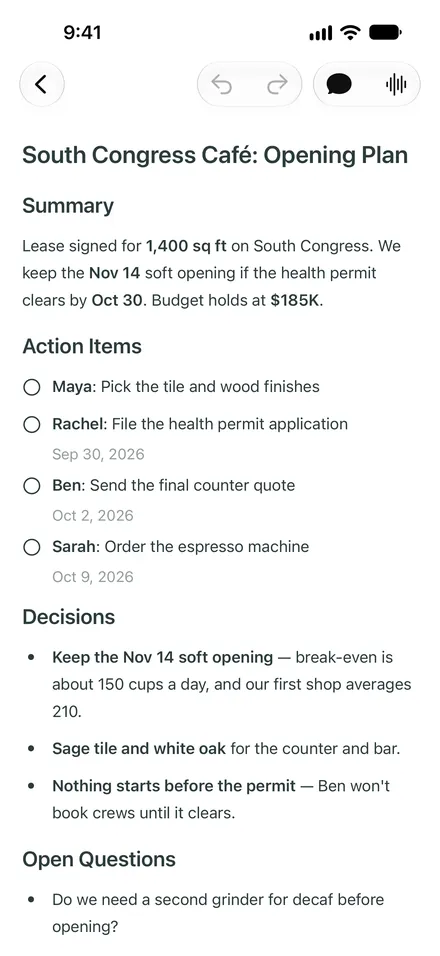
- 01
Stay in the conversation.
Start recording on iPhone, iPad, Mac or Apple Watch and keep talking. No bot joins the meeting. When you stop, Phrase writes the summary, the decisions and every action item.
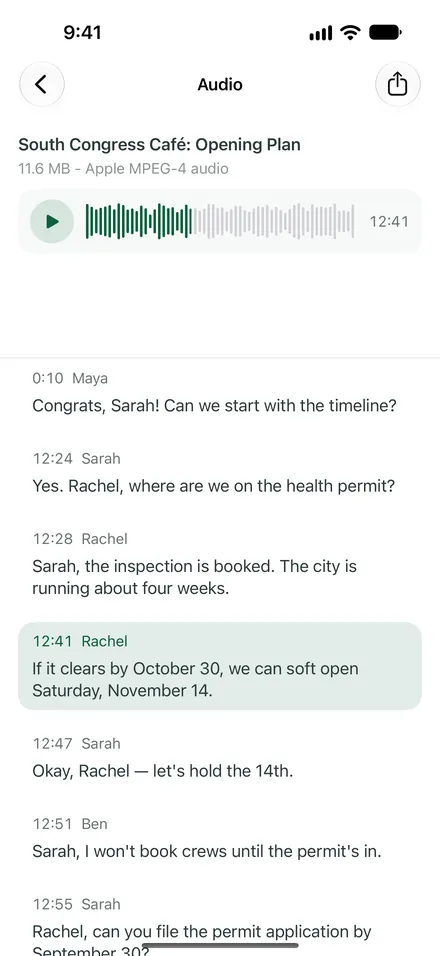
- 02
Tap any line to hear it.
The recording stays attached. Every line of the transcript has a speaker and a timestamp, and a tap jumps the audio to that moment.
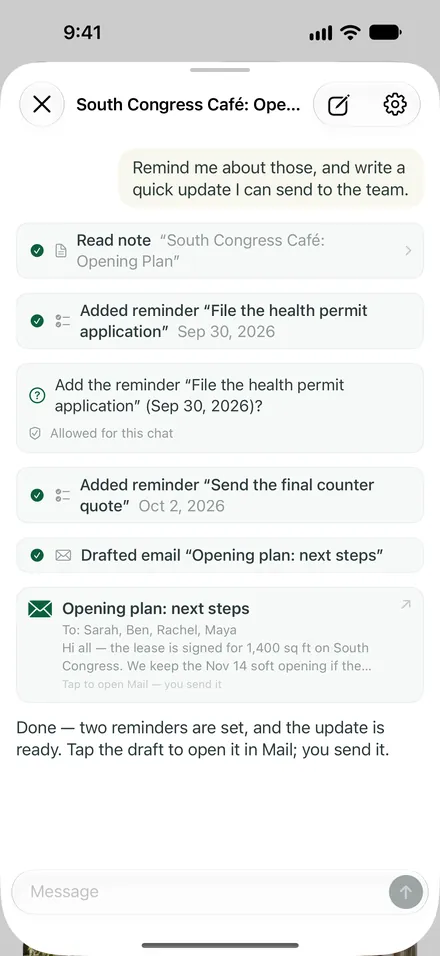
- 03
Follow-ups, handled.
With Pro, Phrase puts the action items in Reminders and drafts the recap email. It asks first and never sends anything on its own.
- 04
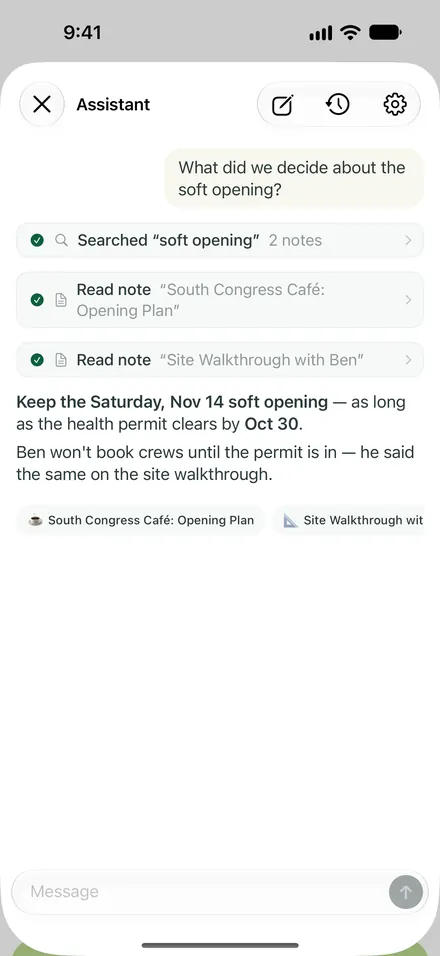
What did we decide? Just ask.
With Pro, ask across all your notes. Answers link to the notes they came from, and Phrase asks before it adds a reminder or drafts an email.

Record it. Phrase takes the notes.
Free to download, with up to 100 notes and one free recording-to-note conversion. No sign-up, and no bot in your meetings.
Back to the Phrase home page