Native math and Mermaid diagrams in a Swift editor
Two renderers, one editable document, and the geometry between them.

An equation and a flowchart ask different things of an editor. The equation needs mathematical typesetting. The flowchart needs a graph layout. Both need a place in the note, with an accurate height and editable source.
We render both natively in Phrase. Our math renderer is SwaTex, a Swift engine we maintain. Mermaid diagrams use a Swift renderer based on Beautiful Mermaid. Neither needs a WebView to draw its block in the editable document.
The interesting integration work begins after a renderer can produce a picture. Its result has to fit the editor's layout, survive view reuse, and change when the source changes.
A formula has geometry of its own
We use SwaTex to turn LaTeX math source into a display list that native drawing can render. The project builds on the work of RaTeX and KaTeX.
In the editor, we measure the formula at its display font size and use the resulting height to size its block. A fraction, an integral, and a short inline expression have different vertical requirements. Treating them as one ordinary line of text would lose that information.
Our measurement helper and rendered view use the same math engine. The source also goes through that engine for validation in the source editor. This keeps measurement and validation connected to what we will draw.
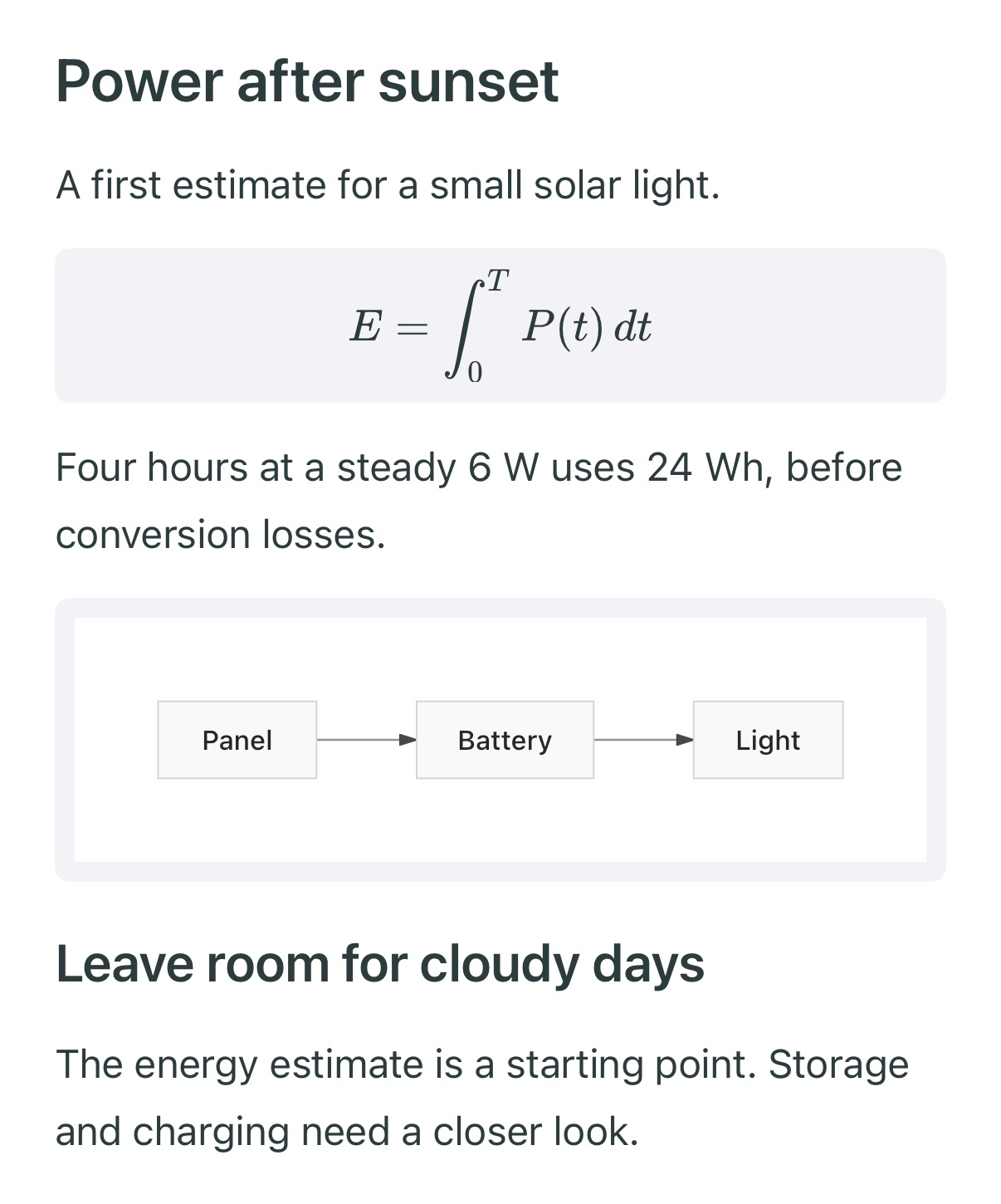
Our native iPhone editor, captured in the iOS Simulator. The formula describes energy over time; the diagram shows the connected components.
The example is small on purpose. Four hours at six watts gives 24 watt-hours before losses. The surrounding prose states that assumption, the formula expresses the relationship, and the diagram explains the system. Each block contributes something different.
A diagram reports its size back to the document
For Mermaid, we integrate a Swift implementation of Beautiful Mermaid. That project provides the diagram rendering foundation. Our editor supplies the block lifecycle, source editing, selection behavior, and surrounding document layout.
The diagram view reports its intrinsic bounds after preparing the source. We associate those bounds with the source that produced them. When a later measurement asks for the block's height, it uses the geometry only if the source still matches.
That match matters during editing. A source change can turn a wide flowchart into a tall one. Its block needs the new bounds before the surrounding content is repositioned.
We fit wide diagrams proportionally and use their resulting height in the document layout. The paragraphs above and below them follow the same settled geometry. A source change therefore updates the diagram and its place in the note together.
Keep source editing close to the result
Tapping a formula or diagram opens its source editor with a preview. We can change the source, inspect the result, and save it back to the existing block. The explanation around it stays in the note.
The source editor validates formulas through the math engine and reports Mermaid parsing errors. Its preview shows the supported notation before we save the change to the note.
We also avoid reapplying unchanged diagram source when a block receives an update. On reuse, the view clears its previous diagram state. That keeps a recycled view tied to the right source and avoids restarting diagram preparation for unrelated edits.
Rich content still belongs to the editor
The text around a formula remains editable text. The formula and diagram remain blocks that can take part in document selection and reordering. We use native appearance changes for their colors, alongside the editor's own typography and selection treatment.
This is why rendering belongs in the architecture discussion. A standalone preview has finished when its picture appears. An editor has to keep that picture in the right place while the note changes around it.
For the product examples, read math, diagrams, and sources in one native note. For the layout rules behind long documents, read inside our native block editor. You can try the current iPhone editor in Phrase.